Friday, June 4, 2010

Data Clean Up

So you have some old equipment laying around the home. It is temping to simply take your old PC to your recycle center and do the right thing. Just be sure you erase anything left on the old hard drive.

You can download software that scrables the hard drive and that takes hour. You can remove the partition and hope for the best, or you go old school. A hammer always does the trick. Remove the hard drive and smash it with the front and backside of the hammer. Be sure to make an good indention in the case. Shake it and you should hear stuff rattling around. Job well done.

Now its ready for the recycle center.


Thursday, May 13, 2010

EMC Clariion CX4-240 Self Install

OK. So you are working on getting a new storage system. If you're an EMC shop, you can do a self install of the CX4, and possibly save yourself a bunch of $$. Why do a self install? Well aside from the $$ savings, its easy, and you can do it way faster then EMC can coordinate and schedule an installation SE/CE.

A CX4 consists of a SPS, SPE, and multiple DAE's. The SPS is standby power supply that sits at the bottom and powers the SPE and the first DAE. The SPE or "Storage Processor Enclosure" contain two processors or SP's called SPA and SPB. Basically two storage processors to run the array. They are independent and if one fails, the other one continues to run the Array. It is very rare to have a multi-SP failure. It can happen, and would be more likely a bug, but its not likely. That is what makes the Clariions so reliable. They run and run and run. The last thing is the DAE or "Disk Array Enclosure". This holds all the drives. One of the DAE's you will receive is special in that it contains "Vault Drives" and vault drives contain the OS the Clariion boots from. This needs to be the first DAE attached to the SPE.

The EMC install guide is very good and if you follow it, you'll have a basic CX4 running in a few hours. So working from the bottom up. You'll get the following installed
  • SPS. Install this on the bottom. If its in a cabinet, leave 1U space on the bottom. But an airflow cover over the space on the front if you have one. If you ever need to replace an SPS, you will need the space, or its a ?itch to replace in a fully loaded cabinet.
  • SPE. On top of the SPS, install the SPE.
  • DAE. On top of the SPE, install the DAE containing the vault drives.
  • DAE - The Rest of them. Install the rest of the DAE's.
SPA/B and Backend Cabling

The backend cabling is the first cable job. Depending on the CX4 model, you will have either 1, 2, or 4 backend ports. A CX4-120 has one, a CX4-240 has 2, A CX4-480 had 4. Get it?

1st DAE. Now follow the install guide and start with SPA. Take the appropriate cable (SFP to HSSCD2 Cable) and plug it into the slot 0, port 0 on SPA and the other end to the corresponding primary port (PRI) on the 1st DAE. Be sure this DAE has the specially marked "array software" label across the 1st five disks. Then do the same for SPB

2nd DAE. Connect slot 0, port 1 on each SP to the 2nd DAE. Stop at the 2nd DAE for now. You should have the SPS, SPE, and two DAE's cabled. That is good to start. Be sure to review step 1 in the install guide and ensure the cabling is right. This is the hardest part. If its not, the SP's can not locate the vault drives and they will not boot.

Power is Next - To Equipment that is.

The next thing is to get the power cables installed. Be sure the SPS's are off. Its best to use a separate power source to each SP. i.e. Do not run from the same PDU. Put them on separate PDU's, breakers, etc. You will see that their is really two SPS's and they fit in a single tray. One SPS powers each SP. So once you have power to the SPS right under SPA, you will run a power cable from the SPS to SPA. Then another from the SPS to the power on the 1st DAE. Once you do this, you do the same for the other SPS and SPB and DAE. Once you have the SPS powering the SPE and 1st DAE, go a head and run another set of power cables from your PDU to the 2nd DAE. Once you do that, the 2nd DAE will power up and that is ok. The SPS should still be turned off and both the 1st DAE and SPE will be off. That is what we want.

There is also a SPS serial cable. One end plugs into the SPS and the other end plugs into the SPE. And there are two. One for each SP. In the install quide its got a picture and it is self explanatory.

Apply power and boot it up. Flip on each SPS. Remove the front bezel's and there are two lights for the SP. They flash during boot then go off. The bad light is the blinking yellow light. That tells you there is a fault. If any of your backend is wrong, that is likely the cause of the fault. Reexamine your cabling. It's usually a calbe that causes it to fail and not boot.

Did it boot? It should have. Look on the back. Thers is a light above each model. There is a management model, backend module, and iscsi module. You really want the mgmt and backend modules to be green. If not, back to the cable. Review it. It's likely wrong. If it is. Go ahead and shutdown the Array by turning off each SPS and waiting for it to shutdown the Array. It can take 2-3 minutes. Then fix the cables and start it back up. Once it comes up and all the yellow lights are out and the rest are green, then your ready to initalize it.

Recommended Reading

EMC Clariion CX4-240 Setup Guide (Requires Powerlink Access - You have that? Right!). This has all info needed to setup. Diagrams, pictures, etc. Just take your time. It is not very hard. Concentrate on the cabling and you will have no problem getting the physical installation going.

Next Steps. I'll post info on initializing the Array and how to troubleshoot.


Saturday, May 1, 2010

Accidently Delete Entire OU of Computer Objects

We are so used to doing multiple things at once, multitasking as they say, and every now and then it bites you. So today, while doing some cleanup today in AD, one of my coworkers may have gotten a little overzealous, aka not paying full attention. He meant to delete a single computer object, but accidentally deleted an entire OU containing a significant numbers of Windows server computer objects.…. Serious DOH!!!!!! So for the sake of this article, let’s call him “JOE”

So it’s not the mistake, but how you react to it, because we have all made them before.

The good news is that we have multiple AD servers, and one is placed in a separate data center for DR purposes, and that is how we backed out of this Dooh! We leveraged the AD server in the remote data center as it had not received an update to the change yet. Why? When we configured it, it’s on a WAN segment, and therefore changes are batched and updated every three hours.

So Joe is a really good IT dude and just goofed. He is also smart and got on it right away. Joe did the following. They are at a high level, but you will get the idea.
  • Went to the remote AD server and turned off receiving replication. So it will not get the change.
  • Changed the update sequence number for the OU on the remote AD server. This is done via authoritative restore via Directory Services Recovery Mode.
  • Then he was able to replicate everything back.
  • And everything appeared to be good. And it was!
One Key! You have to have access to Directory Services Recovery Mode. This requires a password and it is set when you promote the server to an AD server. So you have to have the psw. If you do not have it, it’s easy to set. You just need to be able to login. So if you do not have it, or not sure, I suggest you set it and have it handy. It can bail you out of all sorts of goofs.

Recommended reading

Performing an Authoritative Restore of Active Directory Objects @ http://technet.microsoft.com/en-us/library/cc779573(WS.10).aspx

How To Reset the Directory Services Restore Mode Administrator Account Password in Windows Server 2003 @ http://support.microsoft.com/kb/322672

Friday, April 23, 2010

NAI/Mcafee Bad DAT

NAI/Mcafee, one of the biggest Anti Virus Vendors, goofed and sent out a bad virus definition update. This happened on 4/21 in the early afternoon.

The problem is a false positive which identifies a regular Windows binary, “svchost.exe”, as “W32/Wecorl.a”, a virus. The affected systems will enter a reboot loop and [lose] all network access.

We caught it pretty early and manually pushed out a fix @ approximately 3:45.. If you happen to have received the bad definition file, and shutdown your computer before you got the fix, then your computer may not start properly and will need a bit of work to repair. Unfortunately the bad definition file told the virus scan software that one of the critical system files had a virus. Bummer!

We used our epolicy console to push out the new DAT and verified that each computer got the update and installed it. The console is great for reports. Out of 500 computers, we only had one user hosed. And we fixed it in 10 minutes. BAM!

See https://kc.mcafee.com/corporate/index?page=content&id=KB68780

Saturday, March 20, 2010

Improving Customer Serice - The old PBX is not old

Improving Customer Service

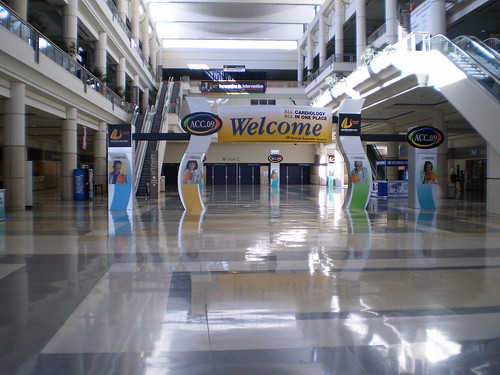
This year @ ACC2010 I wanted to improve the way we handled telephone calls and tracked requests. You see, each year, we put together 8 networks, 125 locations, 500 computers, 1000’s of wireless users, and make this all happen at one of the largest convention centers in the US. This year we are in Atlanta @ the George World Convention Center and the folks at CCLD handle the technology. We knew we had the center, partners, and people to help us step up our game.

We pretty much spend the year before handling all the logistics and nailing down requirements for it all. So once we are on site, we make it happen, and had tracked calls the old fashion way. Pen and Paper. This year we rolled our own portable PBX and contact system. We used an Asterisk based PBX via a cool ISO called PIAF or “Pbx in a flash”, Aastra handsets, and VOIP providers and local analog lines. We also used an open source CRM called “SugarCRM”.

What we Got!

Portable PBX supporting IVR and Queues
  • Instant telephone system for 10 users
  • Time of day routing, Queues, and custom prompts
  • Voicemail and email notifications
  • CRM tracking of all requests
  • CRM reporting of all requests
  • Improved customer service – Less chance of someone falling through the crack
Did it work?

Yes. Worked great. Dave got on site a week before the meeting started and got working to get our mini Network Operations Center (NOC) office setup and running. He received 4 skids worth of equipment, worked with the center and prime contractor (GES) to set the room, complete with desks, conference table, etc. Basically a working office away from home. Then Dave rolled out our tried and true network consisting of a pair of Cisco ASA5510 firewalls, switches, and access points. We utilize the centers network and access points as it is a comprehensive network built into every part of the center, but we augment several VLAN’s with our own private network in order to create a secure and private network for our own use. We then use a corporate VPN strategy to get critical offices connected back to HQ.

I rolled in a few days later and got the VOIP network setup. As Dave already had the network setup, I simply plugged in the server, handsets and bingo, we were online. I had already setup and tested in our lab back @ HQ, so I was pretty sure it would work. I did need to update the code on an analog gateway on site, but that was pretty much it.

We then started to receive calls and Chad, our lead helpdesk guy, used CRM to track requests, changes, and support issues. Overall, it went great, and we expect to use it for ACC2011 in New Orleans. Maybe with another team so more folks providing service for the meeting can take advantage of it.

Friday, January 15, 2010

VMWare Esx4 U1 upgrade and HPIM Hoses You

OK. So you got ESX 4.0 and want to upgrade to ESX4U1. You better see http://kb.vmware.com/selfservice/microsites/microsite.do?cmd=displayKC&docType=kc&externalId=1016070&sliceId=1&docTypeID=DT_KB_1_1 before you upgrade, or you may end up with a hosed node.

Its because the upgrade may fail and when you reboot your node, it will come up bad. They big thing is to put it in Maint mode, uninstall the HP Insight Management Agent, reboot, install the U1 or install all updates from update manager, reboot, then install the latest HPIM agent.

It seems like a lot of time, but you can run through them pretty quickly, and if you use the enterprise version with VMOTION, it really does not matter. You simply move any running VM's to another server, upgrade it, and put them back. I upgraded 4 servers hosting about 60 VM's, in about two hours. BAM!

Tuesday, September 22, 2009

Asterisk PBX Flavor - PIAF

Here is a very good Asterisk flavor called "PBX in a Flash" or Piaf. It takes a bit of mystery out of setting up a Asterisk server.

Piaf is a turn key ISO install based on CentOS 5. So if you have hardware that can run CentOS 5, then you can have a PBX.

See http://pbxinaflash.net

Also Check out http://nerdvittles.com/ for a technobabblelog of everything PIAF.

Wednesday, April 8, 2009

Nothing But "Net"

ok. So the folks helping plan, organize, and deliver the meeting are awesome. If the product is no good, and the technical support is bad, then it is all a moot point. With SmartCity, that is not an issue. The SmartCity operations team is very good and top notch. Lead by Mohamed, Brandon, and Danny, SmartCity provided the College a well designed and supported solution and that enabled us to deliver a great educational experience to our attendees.

ACC09 was a terrific experience for the ACC NOC team. With 8 networks, 92 locations, and hundreds of computers delivered, setup, and installed within 5 days, SmartCity had their hands full. But they have a terrific process. More than 90% of the network drops were already installed and operational when we arrived. This is very good and I wish more convention and conference centers did it this way. What about the last 10%, where there are changes that occur with a meeting of this size, and there are also simple mistakes made by ACC or SmartCity. However we had great teamwork and when an issue came up, no one argued over it, we just worked on getting what needed to be done - done! It was great.

Below find Mohamed and Danny. Both great guys and we had a good time working with them and their entire team.


Mohamed Rashad


Danny Thomson

Wednesday, April 1, 2009

Its all about customer support @ OCCC

Word on the street is that ACC09 was very successful. Everything I saw confirms this. I heard attendees, faculty, and leadership were pleased with the meeting and our conference was well covered by the media. I read several news articles, viewed TV stories, and saw numerous web articles.

This is great for the ACC. We are here to provide education and everyone did a terrific job down in Orlando. A key reason we did so well is we had great support from the Orange County Convention Center (OCCC) and two people in perticular - Frank Loyke and Sarah Merrill.

Frank is our main POC for SmartCity Networks (SCN) and SCN provides network, internet access, and telephones for the OCCC. We started working with Frank back in 2008 and worked out a comprehensive network design that would support our activities during the meeting. That ended up being 8 networks in 92 locations. Frank was terrific and instrumental for our success in the planning and implementation of everything. Frank is a great event coordinator for SCN and a terrific advocate for the center. We really enjoyed working with Frank.

Our meeting planners work many years in advance and have many of the relationships in place and know everyone. The NOC team rolls in about one year before the event and starts to figure things out and who does what at the center. These usually are at large meetings with 20-30 people present and we figure out who does what. At our last site visit before the meeting, we met Sarah.

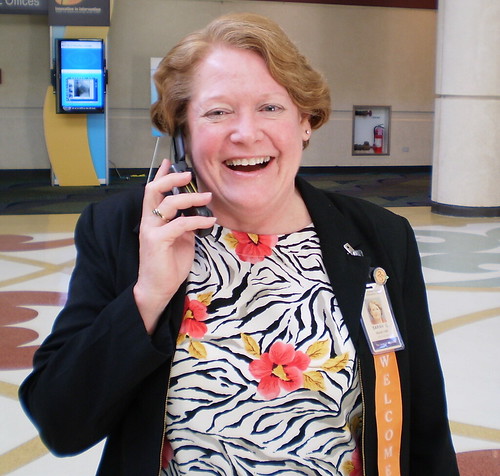
Sarah is our main POC for the OCCC and is our hidden hero. Sarah knows everyone at the center. Not only does she know who to call, she called them and followed up to ensure that everything we needed was taken care of. And I mean everything, but particular the power team. We use alot of power all over the center and it needs to be well coordinated with the Internet guys @ SCN. Sarah was all over the place running around on her stand up scooter. All the while zooming around talking on a cell phone or radio. And smiling at the same time. Sarah did a terrific job, is an excellent advocate for the center, and we enjoyed working with her.

Both Frank and Sarah are fine examples of great customer service and finding out ways to get it all done and make the customer extreamly happy. We are very happy!

Tuesday, March 31, 2009

Conficker Worm - It's not just for Breakfast!

There is a bit of press about a virus-worm called "Conficker". This is actually an old worm that started infecting systems late last year by exploiting a vulnerability in Microsoft Windows. Since then there have been variants of this worm and lots of programs carry this malicious payload. Conficker.C is the latest variant; it will change the behavior of its “call-home protocol” tomorrow Wednesday, April 1st. Conficker may use this protocol to update itself to include some as-yet unknown functionality. Microsoft has also issued a security update to patch the vulnerability that the Conficker family has used to propagate.

You may want to check that your PC has the latest Microsoft security updates installed. You can do this by running Windows Update on your computer. This is a worm and it does not need you to open email or attachments or anything, and it can hit your computer if it is vulnerable. So it is very important that you have this patch.

The following information will give you an overview of the worm, the steps one can take to clean an infected system, and measures to prevent reinfection.

http://www.mcafee.com/us/threat_center/conficker.html
http://www.symantec.com/norton/theme.jsp?themeid=conficker_worm&inid=us_ghp_link_conficker_worm

A quick way to see if you have the worm. Try and go to http://www.mcafee.com. If you cannot access Mcafee, you may have the worm, as it blocks access to security vendors.

Monday, March 30, 2009

Orange County Convention Center


Orange County Convention Center

The Orange County Convention Center (OCCC) is one of the nicest conference facilities in the US. The center is well kept and the staff and their partners are the best. We have enjoyed our visit and can not wait to come back.

Sunday, March 29, 2009

ACC09 Expo Opens


ACC Central @ ACC09

Saturday, March 28, 2009

Entering Maytag Mode


Saturday is here and we enter "Maytag Mode". We say that because we have been here for 8 days and setup 8 networks in 92 locations. Everything is working and now we start a new phase of monitoring the various networks and providing technical support. Luckily the NOC team has been doing this for a number of years and we have great partners.

If everything goes well, we will have little to do the next few days. Hence the moniker "Maytag Mode". Just like the TV commercials for Maytag appliances. It is not boring, but the days are long. In at 6:45AM and out after 6PM. That is if there is nothing major going on. If something comes up, we stay until its working and working right.

We occupying most of our time rotating staff through all the locations throughout the network and checking on our customers and projects. When your show is only 3.5 days long, you can not wait for the call. So we hit the beat and walk a lot. It is also good for our customers as they are out of their normal element and appreciate it when we check on them throughout the day.

Friday, March 27, 2009

Digital Signs


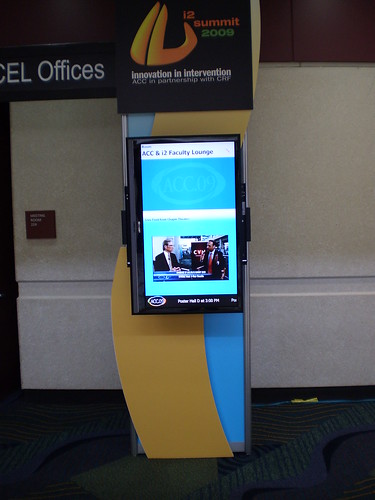
New this year is the use of digital signs @ ACC09.

Replacing paper signs, digital signs provide information on each individual education room and allows us to stream live video for just in time situations.

Check out this sample in front of our ACC09 and i2 Faculty Lounge. It displays information on the room and it is real time. As the meeting goes on, it is automatically updated and the education team can tweak on the fly.

Room overflow information can be displayed. When a room is overloaded or sold out, attendees can be directed to another location where they can view the meeting.

Thursday, March 26, 2009

Meet the NOC Staff

Time to meet the NOC Staff. These are the folks who get stuff done.


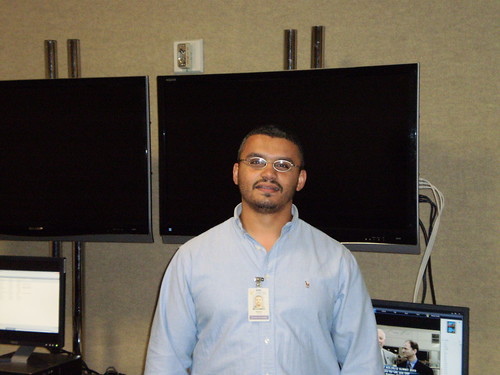
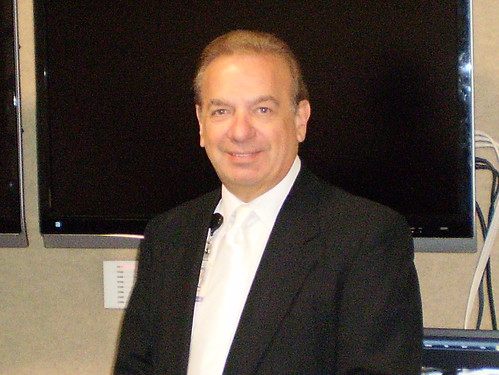
ACC Staff. Left to right is Dan Musolino, Larry Chiarizia, Dave Denbow, Tom Walker


Rentsys Staff
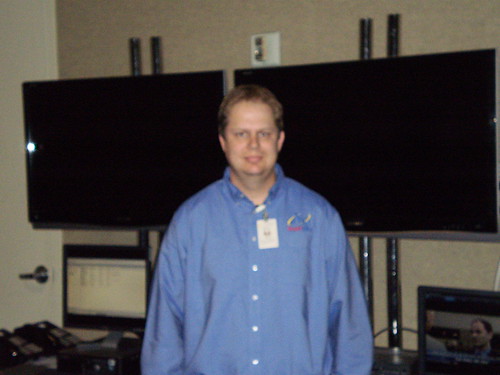
. Left to right is Miguel Checo, Chad Adelman, and Mark Buesnel.


Wednesday, March 25, 2009

Hey - Finally - People are showing up

Folks are rolling in

It is cool to see folks showing up. Various ACC staff, vendors, and contractors are here to do their thing. We have been busy getting a number of temporary offices setup with computer and Internet access.

Our meeting planner office is setup. That is an office for 20 folks with Internet access, 10 desktops, and 10 laptops.

The next big thing is the "InfoStations". These are the Internet surf stations for attendees and there are three of them. Each one has 15 computers + 4 printers. They will be packed during the week as folks keep their life going.

The Exposition Hall is mostly done. The ACC booth is roughed in and ready for computers in a few days. Other locations such as the Expo management office, laptop lounge, etc are done.

Monday, March 23, 2009

Home for a week or more

We are staying at the Swan and Dolphin hotel and resort. I would say its the corporate hotel for Disney. It's a very large resort and very nice. Still has lots of kids. The only problem is kids are loud in the AM sometimes. Not a problem.

View pictures of the Swan and Dolphin Hotel @ Flickr

Friday, March 20, 2009

What is a NOC?

A NOC is old school for Network Operations Center. Typically an operations center to manage a computer network. In our case, this goes back to the mid 90's when we rolled in and ran tons of cable and brought in our own network. This included bringing in our own Internet connection. Back in early 90's this was not normal. We were pioneers here and were among the first in our industry to provide Internet access at a major conference center

One year we brought in a ATM622 network. Ran lots of video that year. Pretty fast too!

Now a days, convention and conference centers have a nice network installed and they create multiple networks for us. they are called VLAN's or "Virtual LAN". In our case, we worked with SmartCity Networks at OCCC and designed the following networks.
  • Presentation Management Network. Content Delivery for Education Rooms.
  • Internet VLAN-Pool. Internet for ACC Projects
  • Internet VLAN-Pool-IT. Special Internet for IT/VPN.
  • Internet VLAN-*DHCP*. Internet Guests
  • Staff-Network. NEtwork for Staff Offices
  • Registration Network - Network for Registration Partner
  • Booth VLAN - Booth and various location in Hall
We bring a pair of Cisco firewalls and numerous switches in order to create an on-site network that allows our staff to easily get back to our HQ. We create a backend VPN and ready it so we can roll out services to individual offices in the center as our staff roll in. This way they are ready to roll and do not have to worry about anything IT.

Thursday, March 19, 2009

ACC09 is here


View Orange County Convention Center Slideshow at Flickr

ACC09 is Here. The premiere cardiology event and it is setup time. My IT team handles technology projects @ ACC's annual meeting and conference. We today we arrived on-site and took posession of our office and now we begin the build of 8 networks and 93 locations.

This is how we did it.

Monday, March 16, 2009

Taking a trip - use tripit.com

Found www.tripit.com via linkedin and its a cool useful site. It helps you plan your itinerary and organize it so you can pull it into Outlook very easy and also send friends and family your info. The cool thing is you forward your confirmations to an email address and bamo, it gets sucked into the system. In 5 minutes I had my airline info, hotel, and car rental. then 1 minute it was in Outlook and another minute I had emailed and printed for family.

Way better than using the lame site provided by the airline. Give it a try.